Writing · Canvas · Isomer
Animated GIF Textures via Web APIs
How to render animated GIF textures in HTML5 Canvas using ImageDecoder.
I was trying to make a Minecraft-looking room in HTML and stumbled into Isomer. The main selling point was the playground link in its GitHub repository.
One thing it lacked was proper texture support, without which any scene that were to be built would have looked dull. So I added that feature myself, while keeping the whole project backward compatible.
What we have with us
Just a static renderer that only had the ability to give geometric shapes, add colors to that geometry and place the geometry on a plane. While it had different shapes, each shape would have a single color. We do can make a cube with just a line of code.
var Point  = Isomer.Point;
var Shape  = Isomer.Shape;
var Color = Isomer.Color;

var iso = new Isomer(document.getElementById("canvas"));

iso.add(Shape.Prism(Point.ORIGIN, 10, 10, 10), new Color(128, 128, 128));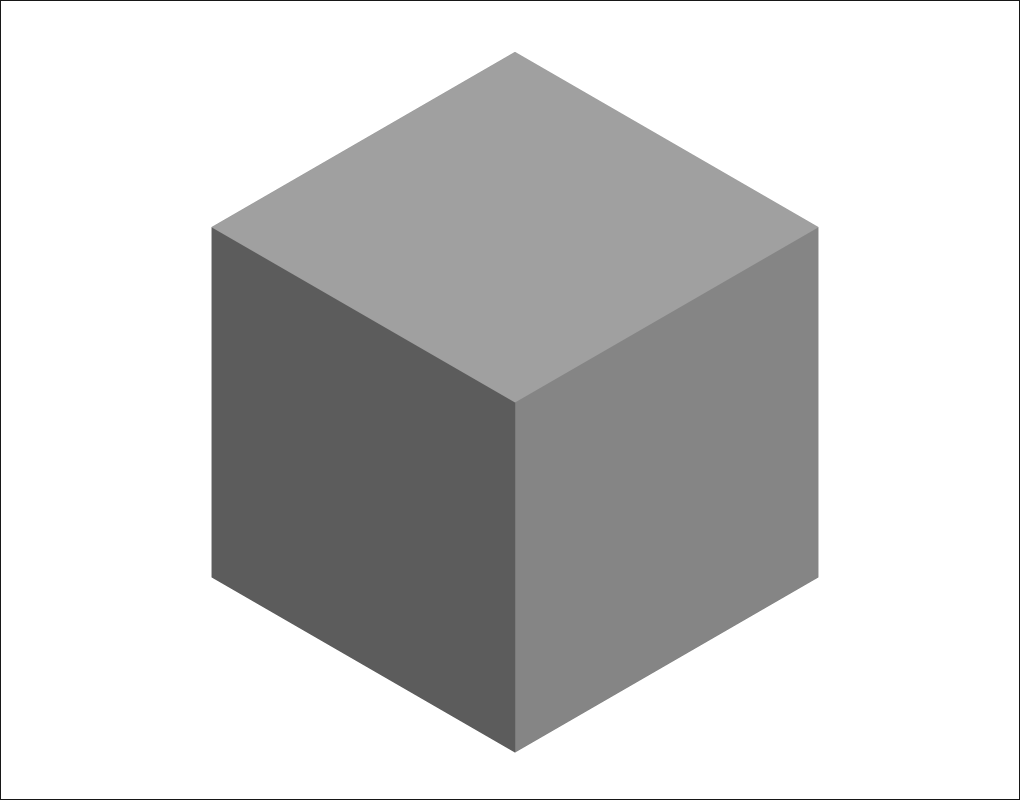
But, with an optional third argument, the dull-looking block can now be turned into a pretty-looking block. Instead of having two params for its position and geometry + color we have another parameter for texture. This makes a dull block look better and is simple as this.
iso.add(block, new Color(255, 255, 255), texture);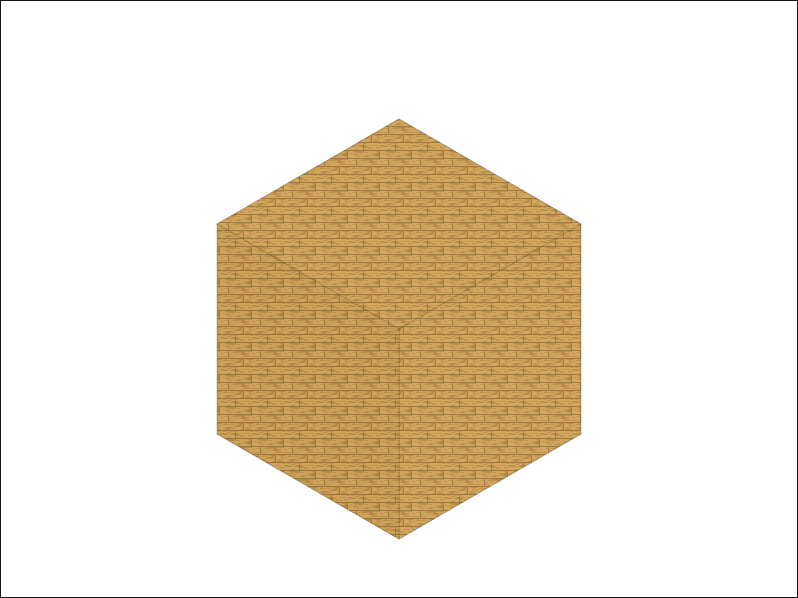
But to turn it into a Minecraft-logo-looking block, we would need to have independent textures on every side with the textures aligning with the faces it is on. Isomer already had the Path object for the geometry each face in a shape naturally used it for drawing, transformations, depth calculations, and shape construction. Now, using the coordinates of the points in each face, we could calculate which direction the face was facing. You can see below how it works:
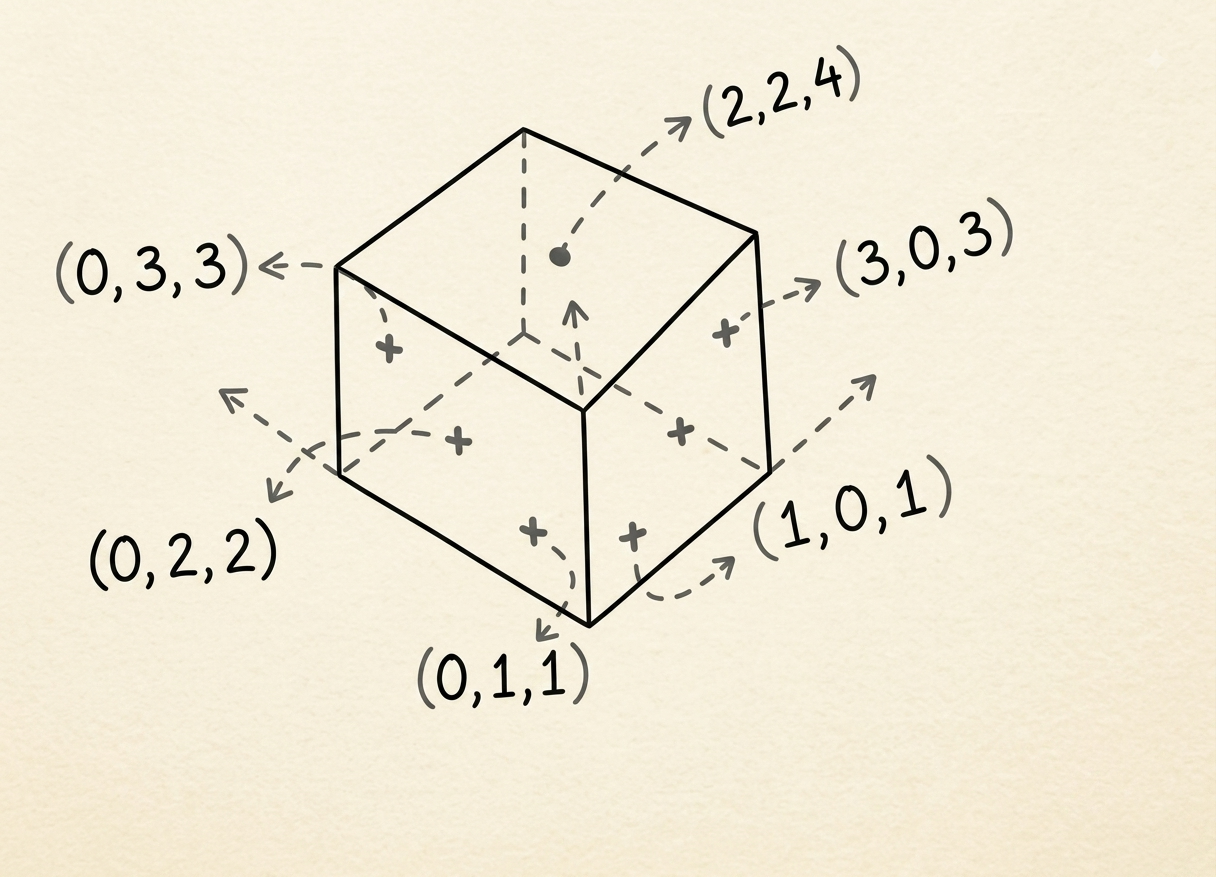
Looking at the points of each of the dots in the isometric slice, we can see that if a face's coordinates share the same value on one axis, that axis tells us which plane the face belongs to. Here, the three sides of a dice have exactly the same x values and can be described as constant-x sides. The same idea applies to the other axis. This works for the axis-aligned prisms used in the demo. For arbitrary rotated geometry, calculating a surface normal would be more reliable.
Keeping one texture alive
Now, we could make a Minecraft-looking pixel-art room, but I was not satisfied with just PNG images for a texture, I wanted more. Animated GIFs look cool, especially pixel-art GIFs.
But a GIF is not just one image, it changes a lot. If we attach an image to geometry and recreate the texture every time the GIF frame changes, then it can become resource-intensive. It would be like using non-reusable plates every time you eat. A better approach would be to use one normal plate, clean it, and eat from it again.
So, the faces project a reusable backing canvas where the GIF frames are drawn. The texture object and CanvasPattern remain the same, while only the pixels inside the backing canvas change:
context.clearRect(0, 0, canvas.width, canvas.height);
context.drawImage(frame, 0, 0);
Instead of creating a new texture for every frame, the implementation reuses the same texture source and updates its contents.
Now, even with the canvas pipeline, we have just made it a little whiteboard to write on. While one image only needs one frame to be decoded, a GIF contains multiple frames. So, using the native fetch() API, we retrieve the file as raw binary data that ImageDecoder can consume. Simply, we can see the pipeline like this:
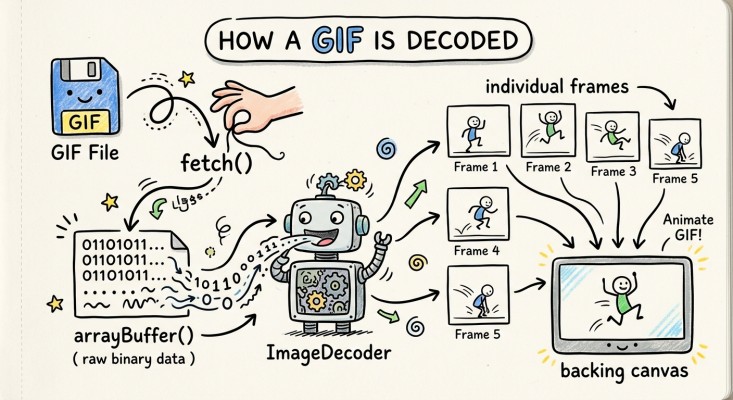
The code example looks somewhat like this:
var response = await fetch("window.gif");
var gifData = await response.arrayBuffer();
// The binary GIF data is passed to the decoder.
var decoder = new ImageDecoder({
  data: gifData,
  type: "image/gif"
});
The decoder exposes the GIF's animation track and frame count. Individual frames are then requested asynchronously by index:
var result = await decoder.decode({
  frameIndex: state.frameIndex
});
The decoded frame is drawn onto the shared backing canvas and then released with frame.close() so decoded image resources do not accumulate in memory. The frame index advances and wraps back to zero to loop the animation.
The decoder has now given us the backbone of the animation system. We also have another native browser API in play, which schedules the next frame once the animation loop is triggered. The public controls are texture.start() and texture.stop().
The scheduler uses requestAnimationFrame() to call the next update before the browser's next repaint:
function animationScheduler(callback) {
  var schedule =
    window.requestAnimationFrame ||
    function(fn) {
      return window.setTimeout(fn, 16);
    };
  schedule(callback);
}
The loop is self-scheduling because, after a frame finishes decoding, the next frame is scheduled again. requestAnimationFrame() provides the timing, while the repeated scheduling creates the loop. The current implementation advances frames according to the browser's animation schedule; it does not yet reproduce each GIF frame's original delay metadata.
But this is just the backbone of our animation system. We also need to connect the updated texture to the isometric scene. Once a new frame is painted onto the backing canvas, the texture notifies its registered listeners. When the texture is attached to a retained Scene node, the Scene registers scene.render() as a listener:
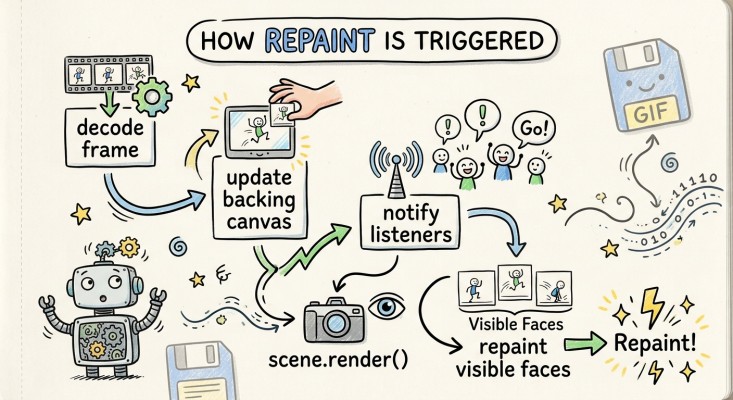
Decoding a frame does not automatically redraw the isometric scene. The listener connection is what turns the updated canvas pixels into a visible animated surface.
Projecting the texture onto a face
Let's also talk about projecting the textures and frames onto a face. Before painting a face, we know where it is and how big it is. Using that information, we clip the image so it does not spill outside the face it is projected onto. Another step is turning it into a slanted face in the isometric view, a texture that does not look attached would be a bummer. Finally, the existing lighting pipeline is applied on top of it.
The renderer supports both normal patterns and custom texture objects:
if (typeof texture.paint === "function") {
  texture.paint(context, points);
} else {
  context.fillStyle = texture.getPattern();
  context.fill();
}
This means the same renderer can handle static CanvasPatterns, animated textures, and projected face textures without knowing where the texture came from.
The projection itself has three steps:
- Clip: The renderer clips the 2D canvas context to match the planar four-point face polygon.
context.save();
context.clip();- Transform: It applies an affine transformation matrix to skew and position the 2D image so it aligns with the isometric face.
context.transform(
  widthX,
  widthY,
  heightX,
  heightY,
  originX,
  originY
);- Draw: It paints the current backing canvas directly onto that transformed face.
context.drawImage(image, 0, 0);
context.restore();
The restore() call removes the temporary clipping region and transformation so they do not affect the next face.
Shade: Isomer applies its standard lighting and shading overlay on top of the rendered face. The texture provides surface detail, while the translucent color overlay preserves the original lighting model.
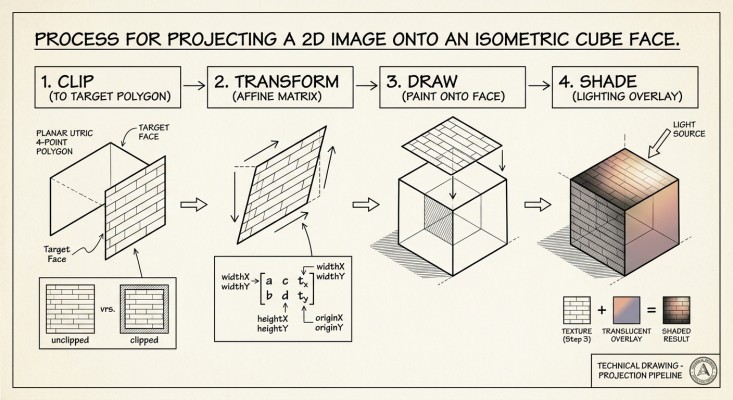
The implementation currently assumes a planar four-point face and uses an affine transform rather than full perspective correction. This works well for the isometric prism faces used in the project.
Putting the pieces together
By combining Isomer's lightweight isometric rendering engine with the modern ImageDecoder API, we can bring dynamic, multi-frame textures to canvas shapes without introducing a third-party GIF decoder or changing Isomer's existing immediate-mode API. Instead of recreating the texture for every frame, the implementation updates a reusable backing canvas and connects frame updates to the Scene render flow.
Whether you are looking to build interactive retro game environments, isometric dashboards, or pixel-art Minecraft scenes directly in the browser, canvas-level animated GIF texturing offers a clean way to add dynamic surfaces to an existing renderer.